All case studies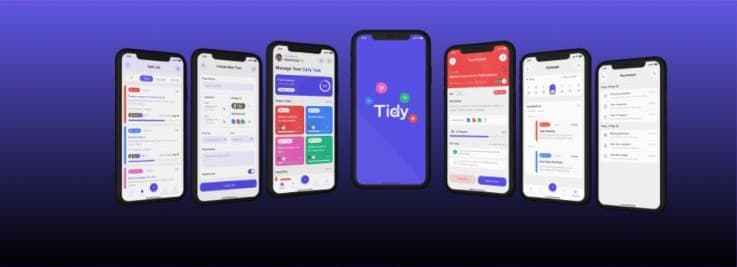
Productivity
Tidy
Task management app, from problem statement to Flutter layouts
6-stage UX process, research to Flutter
- Role
- UX Lead
- Timeline
- Feb – Apr 2026
- Context
- Academic project
- Tools
- Figma · FigJam · Flutter
The problem
Task apps often bury what matters today under long, flat lists, so users lose track of priorities and deadlines.
The outcome
I led the UX process from problem framing to Flutter-ready screens: a prioritized daily dashboard, quick task creation, and a calendar view.
Overview
Tidy is a task management app for planning daily work: a task list, task creation with priority and assignees, a progress dashboard, task details and a calendar view.
Process
I led the UX deliverables and worked through a structured process before designing any screens:
- Problem statement: who the app is for and what gets in their way.
- Empathy maps: what users say, think, do and feel.
- Information architecture: how tasks, categories and views are organized.
- User flows: the core journeys, such as creating and completing a task.
- Impact–effort matrix: which features to build first.
- Storyboards: testing the flows as stories before building them.
From design to build
The interface was designed as Flutter-ready layouts, so the screens could move into development without a redesign.
- Information Architecture
- User Flows
- Storyboarding
- Flutter